
Appearance
Filter Button
A Filter button acts on all filters of the page at once. Choose what it does in Style → Button → Action:
| Action | Default text | Effect |
|---|---|---|
| Reset | Reset filters | Returns every filter to the value it had when the page opened (including values passed in the URL) and clears cross-filtering between charts. Drill-downs are kept. |
| Clear | Clear filters | Sets every filter that can be cleared to All. Required single selections and Date components return to their default. |
| Apply | Apply | Turns the page into apply-on-demand mode: readers change several filters, and the charts query once, when they click Apply. |
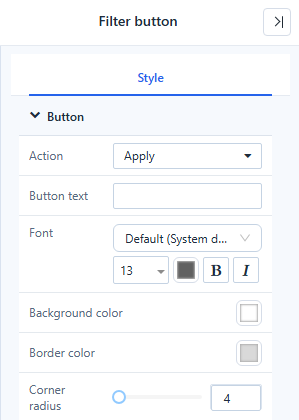
The button also has Button text, Font, Background color, Border color and Corner radius. It only works when the report is opened or previewed; in edit mode it is faded with the tip Available when the report is opened or previewed. It is also faded when there is nothing to do, for example All filters are at their initial values; nothing to reset.
Apply-on-demand mode
Put a Filter button with Action → Apply on the page when queries are expensive or readers usually change several filters together.
- Add Components → Filters → Filter button and set Action → Apply.
- Save and open the report.
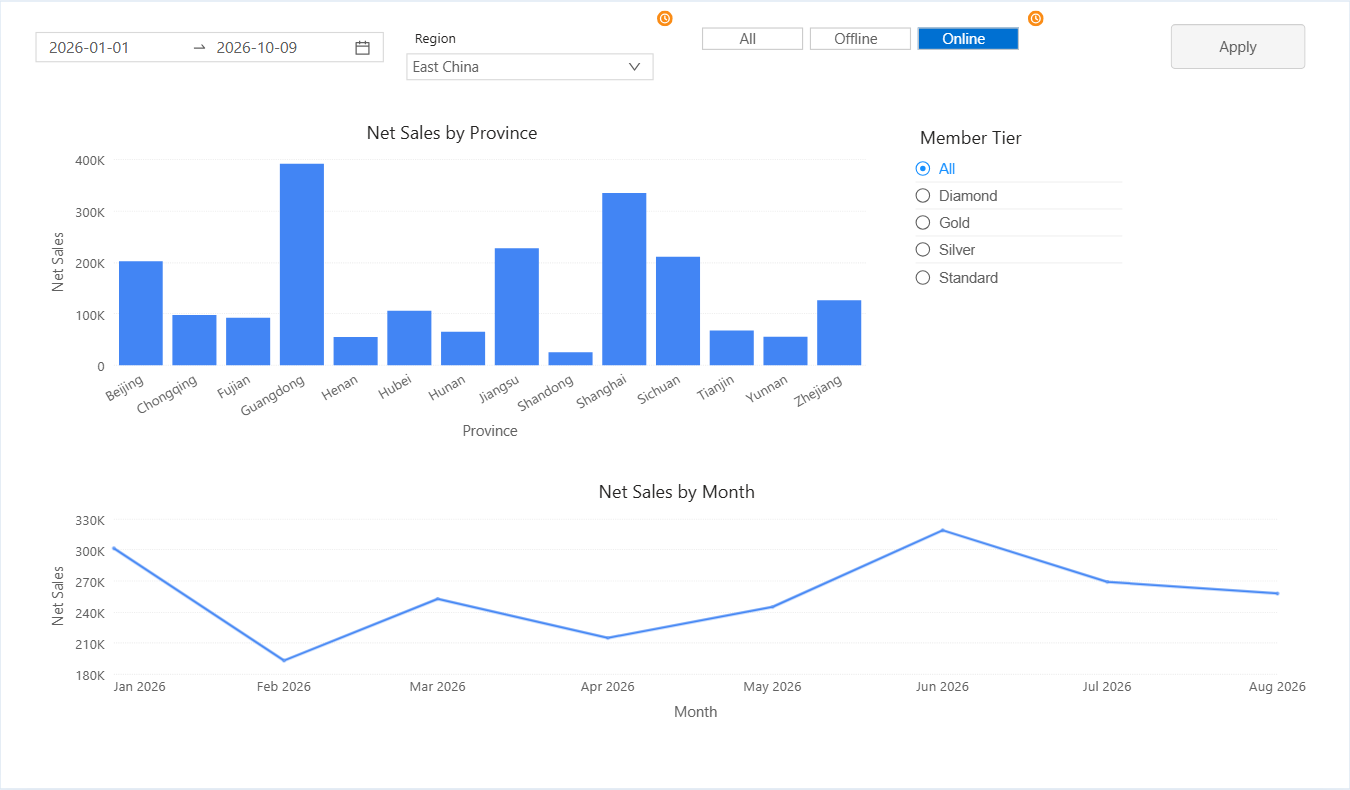
- Change one or more filters. The charts do not refresh yet; each changed filter shows an orange clock badge, and the button becomes active: Filters have changed. Click to update the visuals.
- Click Apply. Each affected component queries once.
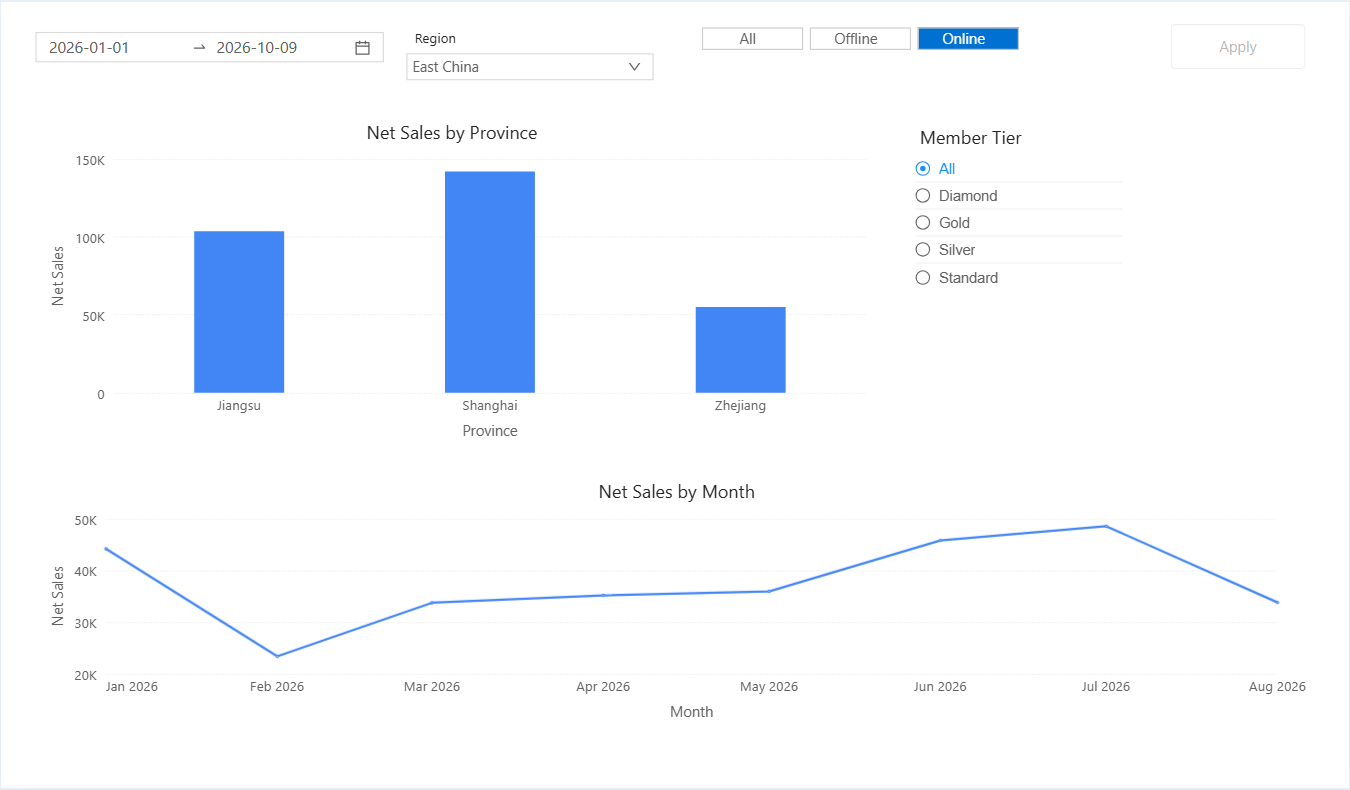
While changes are pending:
- Filters that cascade from a changed filter still update their own member lists.
- Cross-filtering by clicking a chart, drilling, paging and tab switches stay immediate, and use the last applied filter values.
- Reset and Clear buttons on the same page also apply pending changes; the report Refresh discards them.
- Changing a filter and changing it back leaves nothing to apply.
To return to immediate filtering, delete the Apply button.
Notes
- Only filter components are affected. Filters bound to a parameter, and parameter controllers in older reports, are not reset, cleared or deferred.
- Reset does not clear the server cache; the report Refresh does.
Related: Filters