
Appearance
Sorting
Sort categories by their own order or rank them by a measure.
- Select the component and open Data.
- Hover the field and click ⋮.
- Choose Sort → Ascending, Descending, or No Sorting.
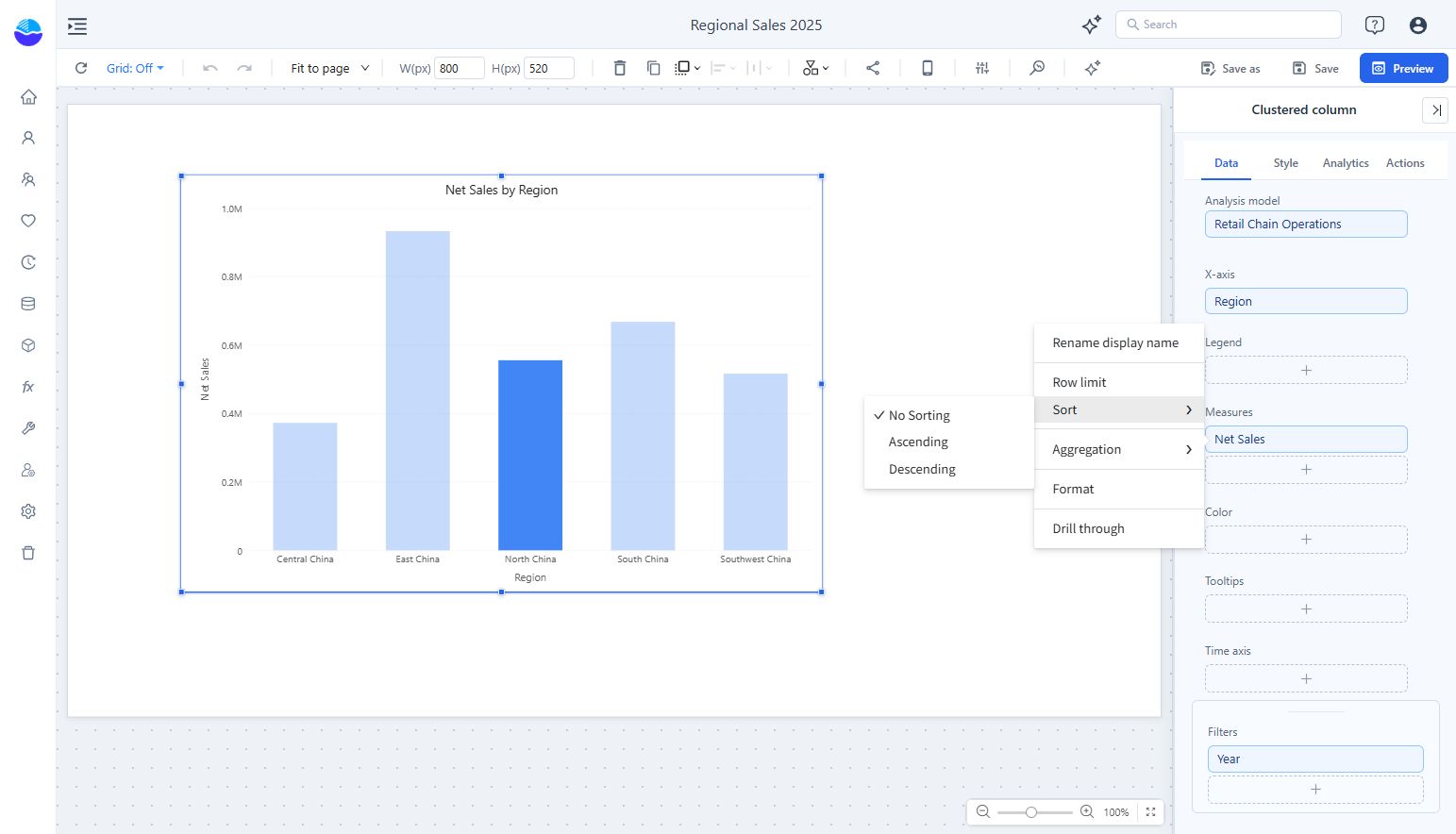
Sort by the field or by a measure
| Sort on | Order | Example |
|---|---|---|
| A category field | The field's model order: the Order by column of the Attribute if set, otherwise its key. Not the displayed text. | Months in calendar order, regions by region code |
| A measure | The categories ranked by that measure's value | Provinces by Net Sales, highest first |
Only one of them decides the order of the innermost category field: sorting by a measure removes the sort on that field and on every other measure, and sorting that field removes all measure sorts. No Sorting returns the field to its model order.
Month names and other business orders
A field sorts by its model order, not alphabetically. If month names come out as April, August, December…, the Attribute's key or Order by is the name text. In the analysis model, open the Month Attribute and set Advanced → Order by to a month-number column, then save the model. Reports then show January to December with Ascending or No Sorting. The same works for priority labels (High, Medium, Low) with a rank column. See Creating Hierarchies for levels and Time Dimensions for date tables.
Tables and pivot tables
Table and pivot table headers have a sort icon. Clicking it cycles through descending, ascending and unsorted. A measure column can be sorted when it is not split by a column field; the total column of a pivot table can always be sorted.
In the editor, a header click sets the same Sort as the field menu and is saved with the report. A reader can sort the same way in a viewed report without changing the saved report.
Limits
- Row limit with Group the rest as "Others": Others always stays last, whatever the sort. See Row limit.
- On a continuous date X axis the dates stay in time order: a measure sort is not available, and Descending on the date field reverses the axis. See X Axis Type Settings.
- Sort is not offered on Treemap and Radar charts.