
Appearance
Creating an Analysis Model
Before you start, make sure you have permission to create Analysis Models and Read permission on the data source you will use. Saving a new model, or saving a model with a different data source, is refused without Read on that data source (administrators are exempt).
1. Start a model
Open Data > Models, then click New. The other actions on this page, such as uploading, copying and sharing models, are described in Managing Analysis Models.

The new model opens without tables. Select a Datasource and Schema in the Data panel, or click Choose datasource on the canvas.
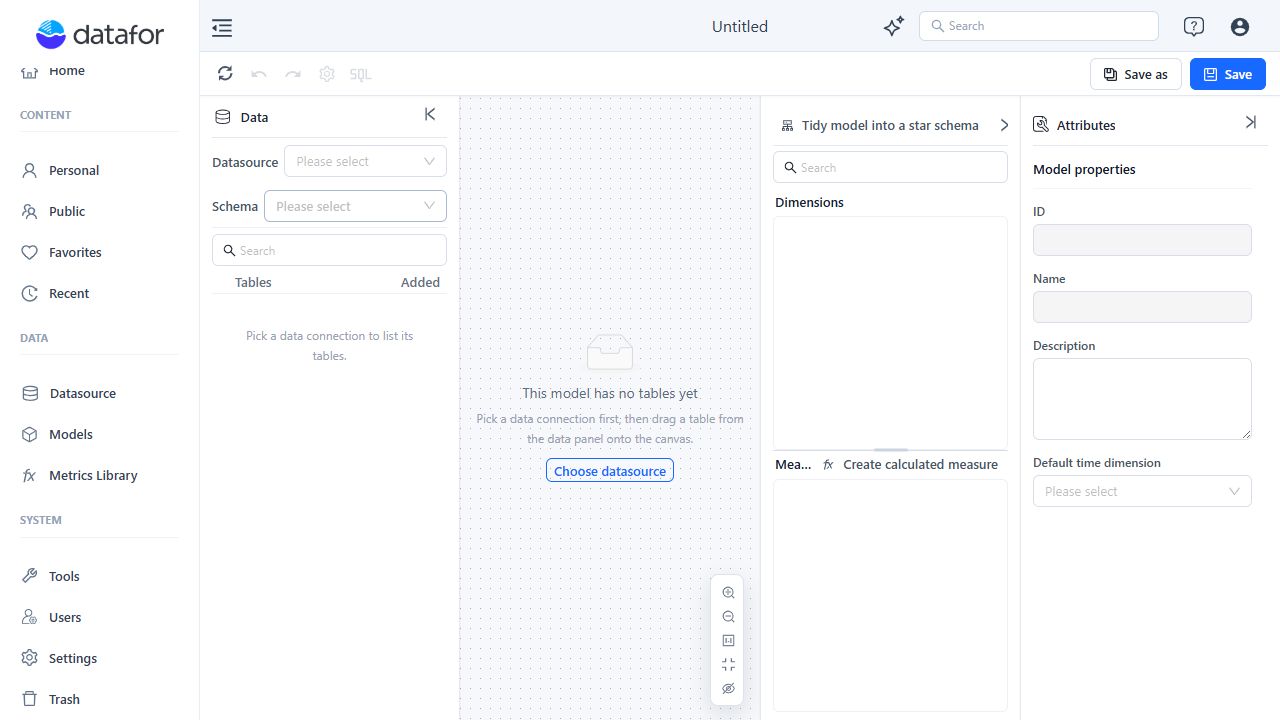
2. Add tables
Find a table in the Data panel, then use one of these methods:
- Click the add control beside the table.
- Double-click the table.
- Drag the table onto the canvas.
Adding a table initially creates:
- A Dimension containing its fields as Attributes.
- A Measure Group containing eligible numeric fields as Sum measures and a Fact Count measure.
Primary keys, foreign keys, and identifier-like numeric fields are excluded from automatic Sum measures. These generated objects are a starting point; remove objects that do not match the table's real business role.
3. Create relationships
Connect tables using their actual business keys. Set Key values are unique only when the selected field combination is unique on that side of the relationship.
For details, see Establishing Table Relationships.
4. Define the semantic model
Use the Analysis model tree and Attributes panel to:
- Keep descriptive fields in Dimensions.
- Set the correct aggregation for each Measure.
- Add Hierarchies only where their level order has a clear analytical meaning.
- Add descriptions, aliases, semantic roles, units, and time settings.
- Create calculated measures when the calculation must be reusable across reports.
5. Review and save
If the bar at the bottom of the canvas is displayed, click its Model diagnostics tab and review the findings before saving. The bar has the tabs Model diagnostics and Metric bindings and is hidden when the model has no diagnostics, no bound measures, and no unbound visible measures.
- Warnings and hints do not stop the save operation.
- Errors require an explicit decision to return to the model or continue saving.
- Server-side model verification runs after the client diagnostics.
- A model with no tables cannot be saved.
Click Save. On the first save, enter the Analysis model name. The name you type also fills the Analysis model ID, and the dialog shows “Analysis model ID: … This ID cannot be changed after saving. You can Modify it now.” Click Modify to enter a different ID. The ID must be unique; Save stays disabled while the ID is empty, being checked, or already used.
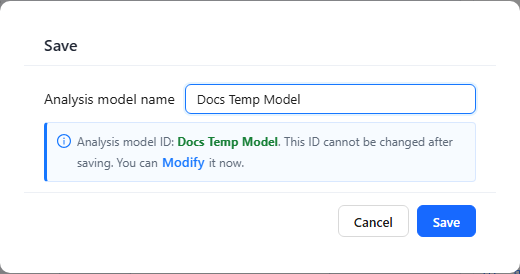
Use Save as when you need a separate model rather than changing the current one.
If you have view-only access to a model, Save is disabled with the tooltip “You have view-only access to this model, so changes can't be saved”. Save as still works and creates your own copy.
6. Data security and cache settings
After the first save, the gear button in the toolbar opens Data security setting. Changes are saved as soon as you click OK.
| Setting | Meaning |
|---|---|
| Apply data security | Applies the data security configured on the data source (row and object policies) to queries on this model. On by default. See Data Security. |
| Cache expire | How long query results of this model are cached, in seconds. New models start with Settings › General › System configuration › Default model cache expiration; 0 means never expires. |
Continuing after a diagnostic error can save an incomplete or inconsistent model. Resolve structural and reference errors whenever possible.