
Appearance
Aggregation for Measures
Aggregation determines how source values are summarized. The model sets each measure's default; a component can use another aggregation for one field.
- Select the component and open Data.
- Hover the measure and choose ⋮ → Aggregation.
- Choose a method. The checked item is the one in use.
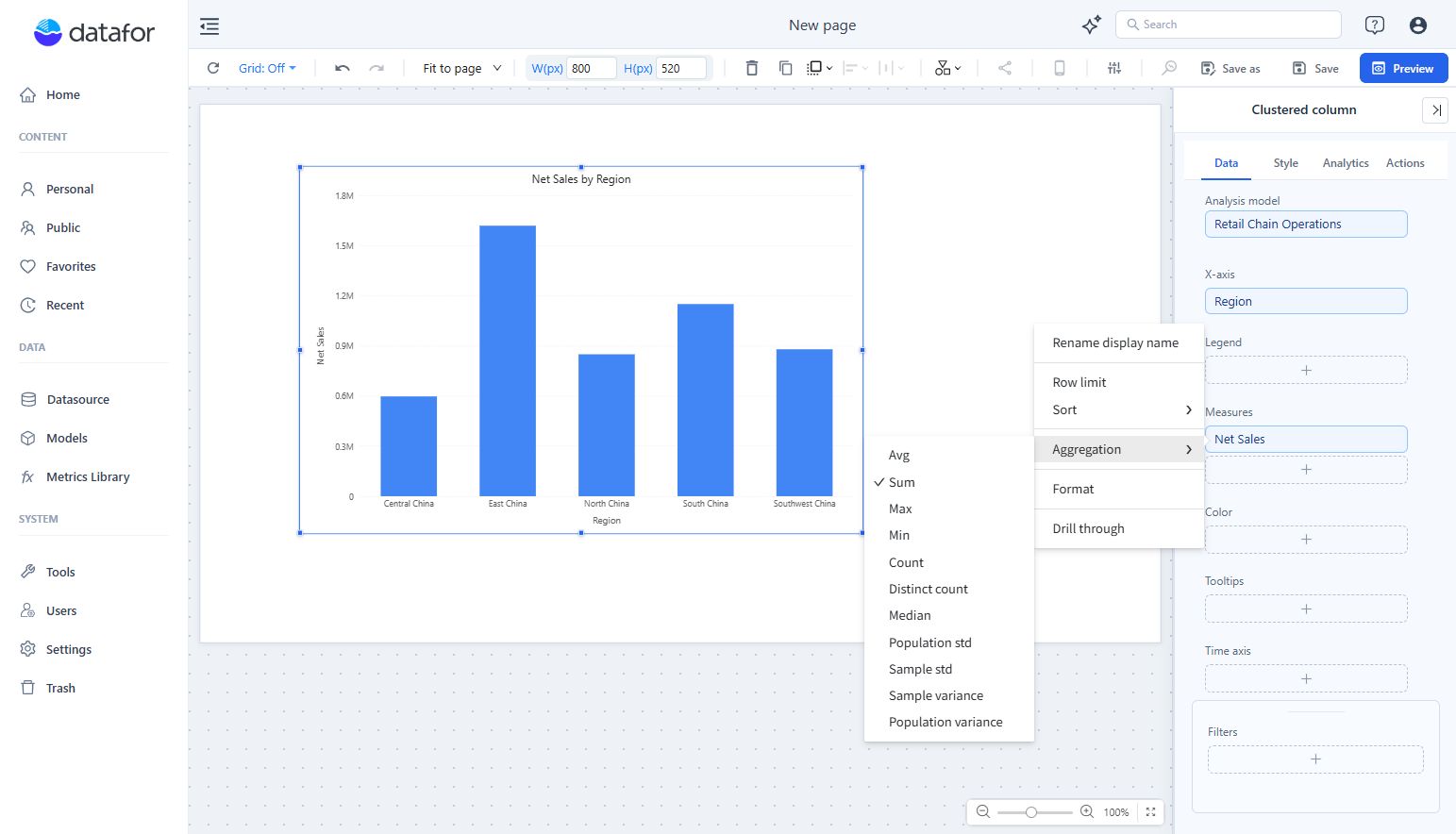
The change applies to this field in this component only. Choosing the model's own aggregation again removes the override. Use the model's default when the business definition should be shared; see Measures and Calculated Measures.
Available methods
The menu lists Avg, Sum, Max, Min, Count, Distinct count, Median, Population std, Sample std, Population variance and Sample variance. Items that cannot be used are greyed out:
| Measure or data source | Available |
|---|---|
| A model measure on a table column | Avg, Sum, Max, Min, Count, Distinct count on every database |
| Same, on a database that supports them | Also Median and the standard deviation and variance items. Most server databases support them; some engines offer only part, for example DuckDB offers Median but not standard deviation or variance. |
| A calculated measure created in the report | None: Aggregation is greyed out. Its formula decides the result. |
| A measure in the Color field group | None |
The list does not check the column's data type. On a text column use Count or Distinct count; Sum or Avg fails or gives meaningless results, depending on the database.
Median on PostgreSQL works from 10.00 (it used to fail with function median(numeric) does not exist). It needs the 10.00 query engine; see Upgrade notes.
Totals and subtotals
Totals, subtotals and the Others item of a row limit are recalculated from the underlying data with the chosen aggregation; they are not added up from the displayed rows:
- Avg: the total is the average over all source rows, not the average of the row averages.
- Distinct count: a value that occurs in several rows is counted once in the total, so the total is usually less than the sum of the rows.
- Max, Min, Median: the total is the maximum, minimum or median of all source rows.
For a ratio or weighted result, use a calculated measure with an explicit numerator and denominator rather than averaging a rate.
If totals are unexpectedly inflated, inspect the model's relationships for row duplication as well as the aggregation.