
Appearance
Query Engine
Settings › Data › Query engine sets limits for the analysis engine that runs every report and AI query.
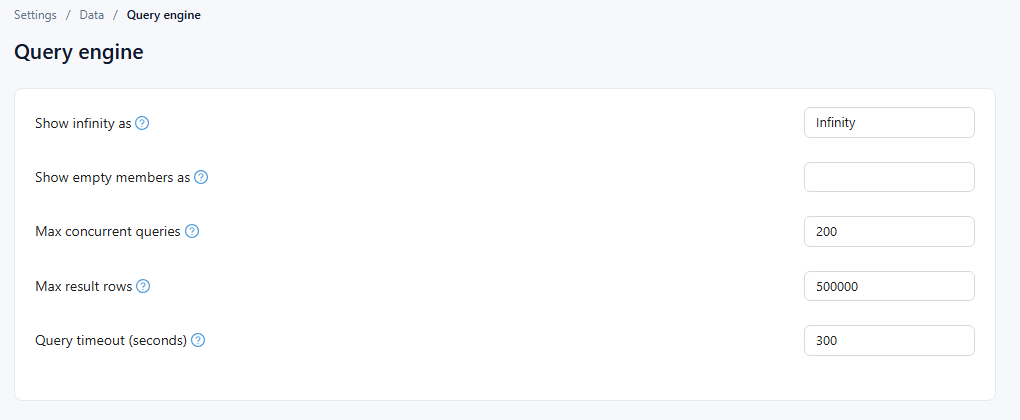
| Setting | Meaning | Default |
|---|---|---|
| Show infinity as | Text shown for a division by zero or another infinite result, for example Infinity or - | Infinity |
| Show empty members as | Text shown for members without a name | (empty) |
| Max concurrent queries | Queries that may run at the same time; further queries wait | 200 |
| Max result rows | The most rows one query may return; 0 = no limit | 500000 |
| Query timeout (seconds) | A query running longer is stopped; 0 = no timeout. Reports wait this long plus 10 seconds before showing The query timed out. | 300 |
| UseAggregates / ReadAggregates | Let the engine read and use mapped aggregation tables; both must be on. Loaded models pick up the change after the model cache is cleared or the server restarts. See Use Aggregation Tables. | Off |
Reset to default returns every engine setting to its factory value, including settings this page does not show. Save applies the changes.
A report page can lower the rows per component with Page → Settings → Performance → Max query records; the default for that is in System Configuration.
SQL statements of the engine
Each query sends SQL statements to the database through a shared set of engine threads (mondrian.rolap.maxSqlThreads, default 100). When all threads are busy, further statements wait in a queue; before 10.00 the whole query failed with The number of concurrent SQL statements … has been reached. One query may use at most mondrian.rolap.maxSqlThreadsPerQuery of the threads; the default 0 means half of maxSqlThreads, so one wide query cannot block the others. Both are set in bi-server/pentaho-solutions/system/datafor/mondrian.properties and take effect after a restart; they are not on this page.
Related: Empty Data and Error Messages