
Appearance
What-if Analysis
What-if analysis recalculates an existing measure under an explicit assumption. It is deterministic scenario analysis, not a forecast.
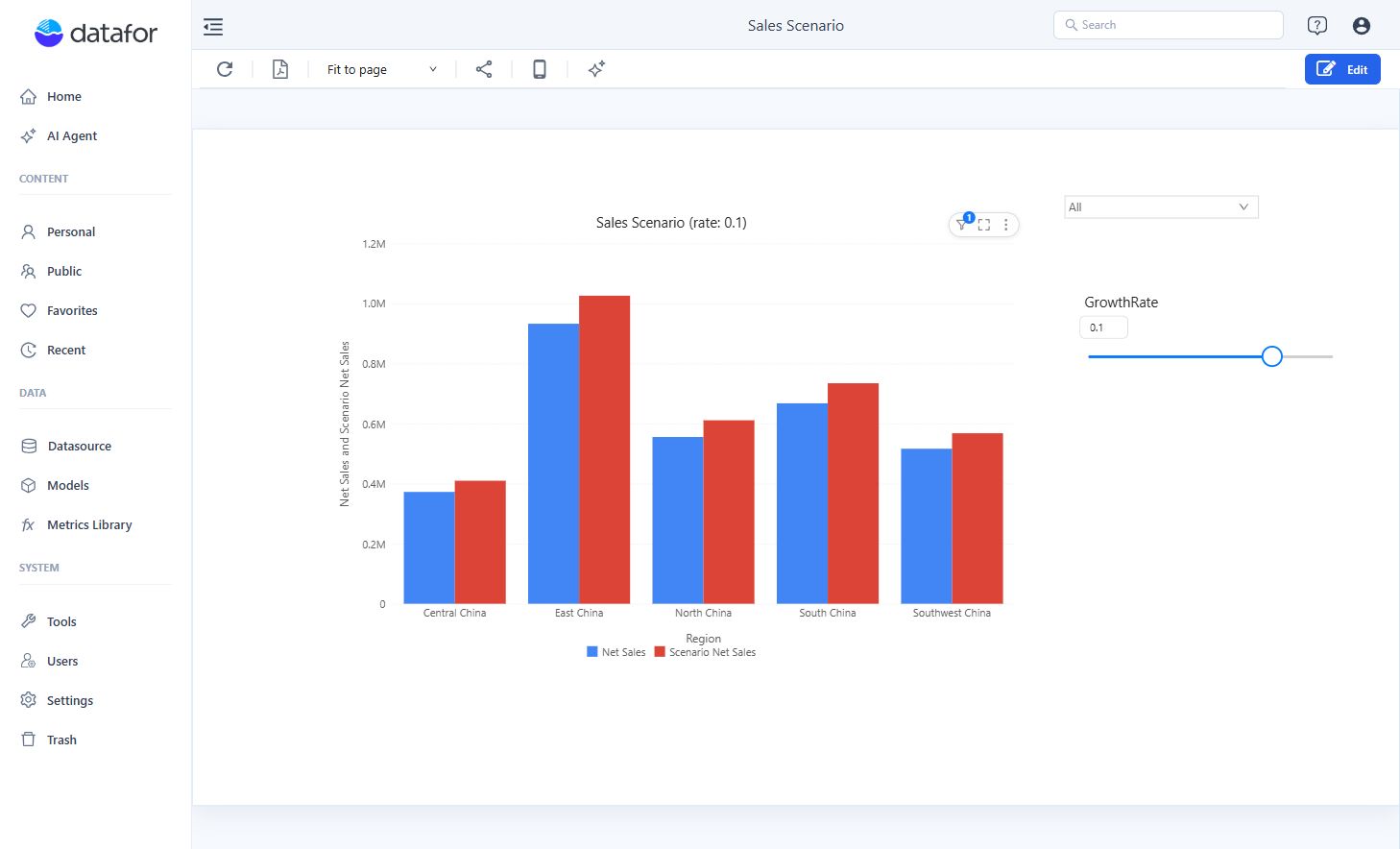
This example compares Net Sales with a scenario that applies the same growth rate to each region. Use the Retail Chain Operations model, Region, and Net Sales, with a component filter of Year = 2025. The scenario scales the existing result; it does not model changes in demand, costs, or product mix.
Start with a Clustered column chart: put Region in X-axis and Net Sales in Measures. If you are new to the editor, follow Create Your First Report first.
1. Create the scenario input
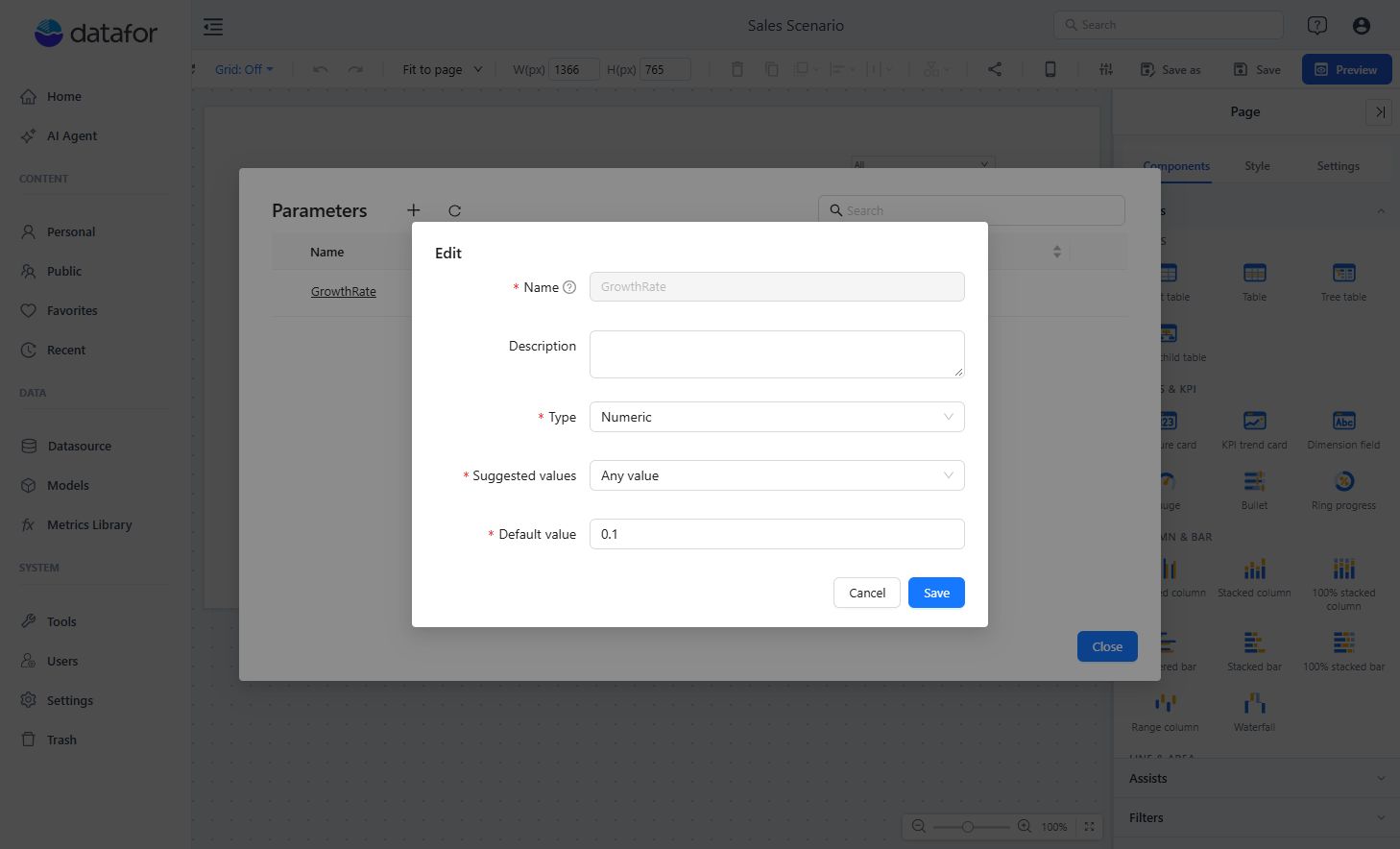
Open Manage parameters in the report toolbar, click +, and use these settings:
| Field | Value |
|---|---|
| Name | GrowthRate |
| Type | Numeric |
| Suggested values | Any value |
| Default value | 0.1 |
The value is a decimal rate: 0.1 means a 10% increase; -0.2 means a 20% decrease. Save the parameter and close the manager.
For the complete parameter workflow, see Creating Parameters.
2. Create the scenario measure
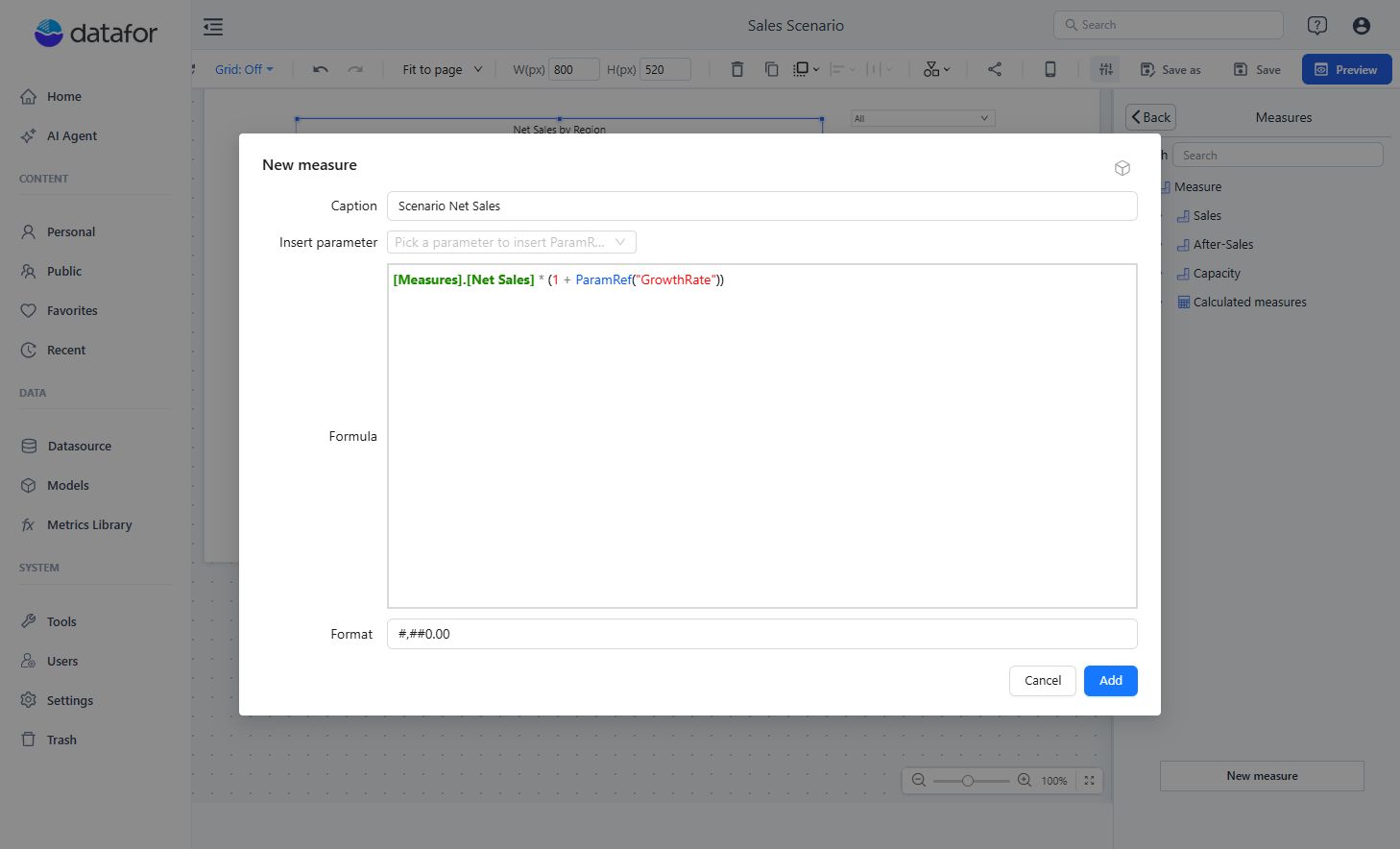
In the target component's Measures picker, select New measure → New measure. Create a report-level measure named Scenario Net Sales with this MDX formula:
[Measures].[Net Sales] * (1 + ParamRef("GrowthRate"))Use Format → #,##0.00 and click Add. Keep both Net Sales and Scenario Net Sales in the chart's Measures slot so readers can compare them.
Start from a valid aggregated business measure. Do not substitute an expression such as aggregated unit price multiplied by aggregated quantity; that usually differs from summing transaction-level sales.
If you choose to store percentage points such as 10 instead, divide the parameter value by 100 in the formula.
3. Add the control and result
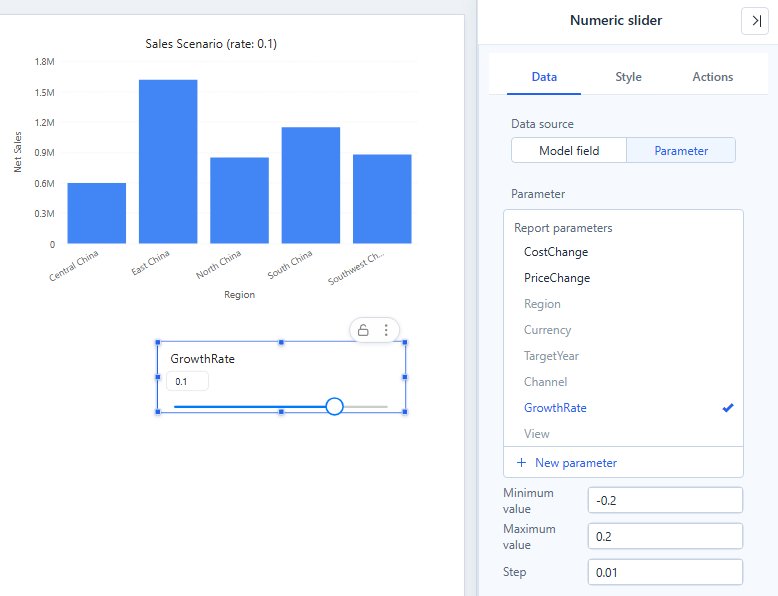
- Add Numeric slider from Components → Filters.
- In Data, set Data source → Parameter and select GrowthRate.
- In the same panel, set Minimum value → -0.2, Maximum value → 0.2, and Step → 0.01.
- In the chart's Style → Title, enter
Sales Scenario (rate: ${GrowthRate}). - Save and open Preview. Move the slider or type a value in its input and press Enter.
4. Validate the result
Use the base Net Sales value as the control case:
| Parameter value | Expected result |
|---|---|
-0.2 | 0.80 × Net Sales |
0 | 1.00 × Net Sales |
0.2 | 1.20 × Net Sales |
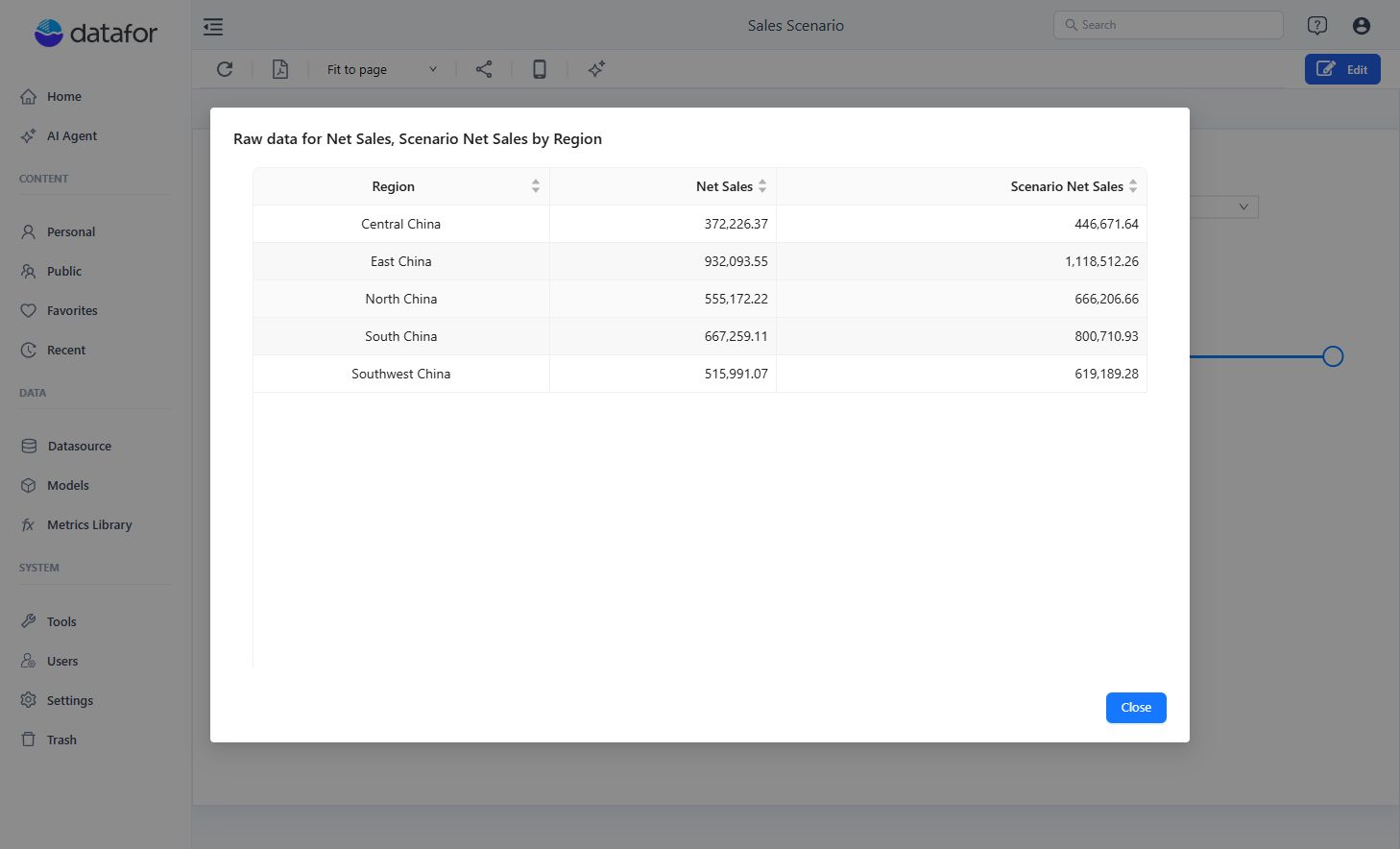
Use the chart's ⋮ → Data preview to compare exact values. For example, with Central China's base Net Sales of 372,226.37, the three results are 297,781.10, 372,226.37, and 446,671.64. Your values may differ if the source data or filters change.
Return to 0.1 and check that the title reads Sales Scenario (rate: 0.1). Reopen the saved report to check its initial state.
Troubleshooting
| Symptom | Check |
|---|---|
Unknown parameter appears when the component queries. | Match the parameter name exactly, including case and spaces. |
| The parameter is absent from Numeric slider. | Choose Data source → Parameter and check the parameter type; this example uses Numeric / Any value. |
| The result does not change. | Confirm the slider and ParamRef() reference the same parameter and the component uses Scenario Net Sales. |
See Using Parameters in Calculated Measures for ParamRef() rules.